
Airplane Mode GPS: Causes and Fixes

Simon Muller
Posted on July 21, 2026

Airplane Mode GPS: Causes and Fixes
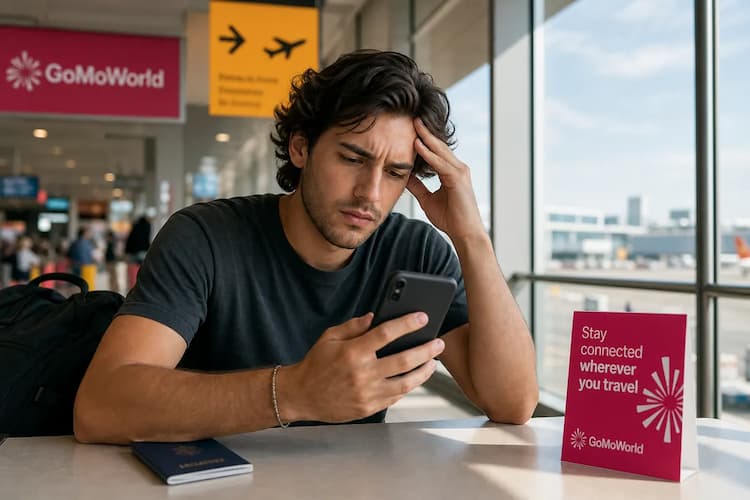
You land in Rome. You activate airplane mode to dodge a $15/day AT&T roaming charge. You open your map app, but the screen shows a blank grid. Your GPS seems broken. A GoMoWorld eSIM prevents this upfront: you get 10GB of local data for €10.99, keeping your maps live without roaming fees.
Why Does This Issue Occur?
When you activate airplane mode, your phone stops transmitting radio frequencies. It shuts down your connection to cell towers. It cuts off your Wi-Fi antenna. It disables Bluetooth. Many travelers assume this also kills the GPS. This is false.
The Global Positioning System (GPS) is entirely passive. Your phone contains a dedicated chip that only listens. It receives signals from satellites orbiting the Earth. Airplane mode does not turn off this listening chip. Your phone still knows exactly where it is.
The problem lies with your map application. Google Maps and Apple Maps require an active internet connection. They need data to download the visual map tiles. Without data, your phone places a blue dot on a blank gray screen. You know your coordinates, but you cannot see the streets. This lack of data causes major frustration. Travelers often search for managing app data abroad to understand why their apps fail.
Furthermore, modern smartphones rely on Assisted GPS (A-GPS). Satellites are thousands of miles away. Getting a direct signal takes minutes. To speed this up, your phone pings nearby cell towers. It triangulates your location in seconds. Airplane mode disables your connection to these cell towers. Your phone loses A-GPS. It must rely completely on distant satellites. If you stand between tall buildings or under heavy clouds, the satellite signal fails. Your phone cannot find you.
Quick Fix (Solves 80% of Cases)
You need a working map immediately. Follow these exact steps to restore your location services without triggering a massive roaming charge.
- Toggle Wi-Fi on. You can enable Wi-Fi while airplane mode remains active. Walk into a local cafe or hotel. Connect to their free network. Your map app will instantly download the surrounding street data.
- Download offline maps. Do this while connected to Wi-Fi. Open your map app. Search for your current city. Select the option to download the map for offline use. Your GPS will now function perfectly on the downloaded map, even without data.
- Step outside. If your phone struggles to find your location, leave the building. GPS requires a clear line of sight to the sky. Stand still for two minutes. Let the passive GPS chip lock onto the satellites.
- Force restart the app. Sometimes apps crash when they suddenly lose data. Swipe up from the bottom of your screen. Close the map app completely. Open it again.
If you turn off airplane mode later and your device still refuses to connect to a network, you might be dealing with a hardware glitch. Read our guide on the 'no SIM card available' message for the next steps.
Advanced Solutions
Relying on offline maps has limits. You cannot see live traffic. You cannot check bus schedules. To fix the underlying issue, you must address your device settings and data strategy.
Check your system location settings. Go to Settings > Privacy & Security > Location Services. Ensure the master switch is green. Set your map app permission to "While Using the App". Toggle "Precise Location" on. Without precise tracking, apps guess your location using Wi-Fi networks. Airplane mode breaks this fallback method.
Check your battery settings. Low Power Mode intentionally restricts GPS polling to save battery life. Turn it off when you need accurate tracking.
Reset your network settings. If your GPS remains inaccurate, go to Settings > General > Transfer or Reset > Reset > Reset Network Settings. This clears old tower data and forces a fresh connection.
Inspect your physical hardware. Drops can break the internal GPS antenna. If your phone also struggles to read physical cards, check out the symptoms of a damaged SIM to diagnose physical damage.
Bypass the problem with an eSIM. The root cause of your GPS issue is a lack of data. A data-only eSIM fixes this instantly. You install the GoMoWorld app. The installation happens 100% inside the app. No QR codes. If you ever face setup issues with other brands, read about the SM-DP+ activation server.
Prevention
Do not use airplane mode as a financial shield. It breaks your smartphone experience. You lose access to ride-sharing and live walking directions.
A GoMoWorld eSIM provides dedicated local data. You turn off data roaming on your home SIM. You route internet traffic through the GoMoWorld eSIM. You keep your home number active. You can track WhatsApp data usage while making free voice calls over your new data connection.
Look at the cost difference for international data:
| Carrier | Roaming Plan | Estimated Price |
|---|---|---|
| AT&T | International Day Pass | ~$15/day |
| Verizon | TravelPass | ~$10/day |
| T-Mobile | International Pass | ~$5/day |
| GoMoWorld eSIM | 15 days, 10GB | €10.99 |
GoMoWorld operates on a strict prepay system. You face zero overage fees. You never receive a surprise bill. You buy a plan today. It never expires until you activate it. You manually tap "Start" in the app when you land. There is no auto-activation.
Every plan includes mobile hotspot capabilities. Share your 4G/5G connection with your laptop or travel partner.
Secure your eSIM → before your trip. Choose 3GB for 7 days at €3.99, 10GB for 15 days at €10.99, or 25GB for 30 days at €19.99. Get the data you need and keep your GPS live.
FAQ
Does airplane mode turn off location?
No. Airplane mode disables cellular networks, Wi-Fi, and Bluetooth. It leaves your passive GPS receiver active. Your device still tracks your exact coordinates using satellite signals. You simply lose the map imagery without an internet connection.
Does airplane mode block GPS?
Airplane mode does not block pure GPS. It does block Assisted GPS (A-GPS). A-GPS uses nearby cell towers to speed up location tracking. Without A-GPS, your phone takes much longer to pinpoint your exact location.
Does GPS work on an airplane?
Yes, your phone's GPS chip works during a flight. However, the metal body of the aircraft blocks most satellite signals. You must hold your device directly against the window to get a signal lock. You also need offline maps downloaded in advance to see your progress.


Similar articles

SM-DP+ Address: Complete Troubleshooting Guide

WhatsApp While Traveling: Free or Paid? How to Use It

Data Apps Abroad: Comprehensive Troubleshooting Guide
No SIM Available: Causes and Solutions

Hear from our Happy Travelers
4.7
App Store

4.7
Google Play Store

March 5, 2026
Trustworthy and cheap
A trustworthy and economic way of being in contact with home when travelling


February 27, 2026
Excellent esim
Easy to use. Used in many countries and will continue to use gomoworld


February 26, 2026
Best eSIM prices
Excellent price and good network coverage. Used it for my trips to Turkey and Russia, I faced no issues at all. Recommend!


February 10, 2026
Great eSIM service
I use their esim and I have used them all over India, Colombia, Nicaragua and the US and have not had problems with connection, except high in the mountains where no one has it.

February 7, 2026
Works flawlessly from 1st second
Installing and activating is straightforward, testing the system with a free trial in Switzerland worked fine Connection throughout the Gambia was perfect Renewal after expiration was easy, cheap and quick.


January 25, 2026
Really good data plans withs reasonable prices
GoMoWorld offered the best value out of all the options I considered. The app experience was also superior to other services I’ve tried. There was no ID verification requirement. Payment and setup was super easy. It guides you step by step how to install the eSIM and tells you the recommended settings. I would recommend to anyone looking for lots of data with really competitive prices.

What is an eSIM?
We’ll Explain Everything.
A simple, digital solution for staying connected wherever you Go.

Say Goodbye to Physical SIM Cards
No need to handle a physical SIM card (or risk losing yours)—everything is digital with an eSIM.

Quick and Easy Activation.
Download your GoMoWorld eSIM from our app and get connected in minutes. All our plans start at just €3.99, with no subscriptions or hidden fees.

Perfect for Travelers
Keep your regular SIM active for calls and texts while using GoMoWorld for data. You can have both your primary SIM and eSIM active simultaneously, or two eSIMs.


from
€3.99

Still thinking about it?
Download the app and enjoy a risk-free Trial. Experience GoMoWorld travel eSIM now!
