iPhone Shows SOS Abroad: Causes and Fixes

Simon Muller
Posted on September 13, 2026

iPhone Shows SOS Abroad: Causes and Fixes
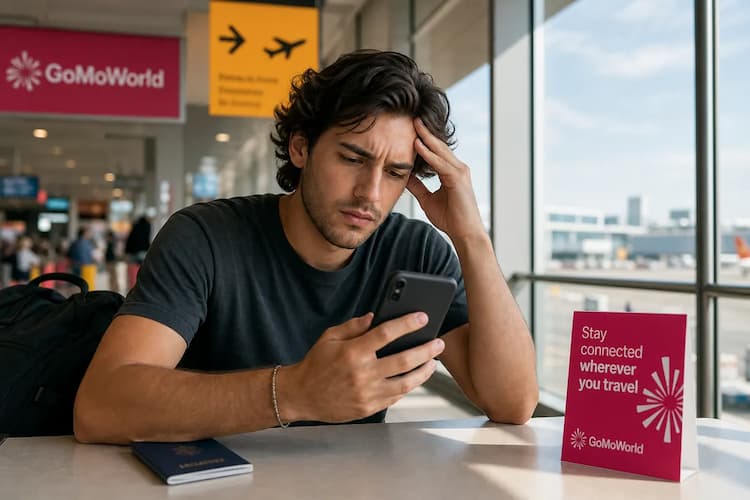
You land in a new country, turn off airplane mode, and look at the top right corner of your screen. Instead of 4G or 5G, you see "SOS" or "SOS only". You have no internet. You cannot load maps, check emails, or hail a ride.
Your phone is disconnected from the local cellular network. It can only dial emergency numbers.
Relying on your home carrier abroad often leads to connection drops and high bills. AT&T and Verizon charge up to $15/day for international roaming. GoMoWorld solves this upfront. You get a dedicated data-only eSIM for your trip. You pay €10.99 for 15 days and get 10GB of data. You keep your home number active for calls and texts.
Here is how to fix the SOS error on your device right now.
Why Your iPhone Shows SOS Abroad
The "SOS" symbol means your device fails to register on a local cell tower. Your phone recognizes a network exists, but it lacks permission to join it.
Four main issues cause this error:
- Roaming is disabled locally. Your phone settings block connections to foreign towers to prevent extra charges.
- Your carrier blocks roaming. Your domestic mobile plan does not include international access. The home carrier denies the connection request.
- You are in a dead zone. You are outside the coverage area of the local network partner.
- Hardware failure. Your physical SIM card is scratched or damaged. If you suspect hardware damage, read our guide on the symptoms of a damaged SIM card.
Quick Fix: Solve It in 2 Minutes
Force your phone to drop its current background processes and search for a new tower. This fixes the SOS error in most cases.
- Open your Control Center and tap the Airplane Mode icon.
- Wait exactly 30 seconds.
- Tap the Airplane Mode icon again to turn it off.
- Go to Settings > Cellular > Cellular Data Options.
- Toggle Data Roaming to the ON position.
- Restart your iPhone.
If your phone connects to the network but specific platforms refuse to load, your data connection is active but restricted. To troubleshoot app-specific blocks, check our guide on background app data abroad.
Advanced Fixes if the Problem Persists
The quick fix failed. Your phone still displays SOS. Try these advanced troubleshooting steps.
1. Manually Select a Network
Your phone usually picks the best local network automatically. Sometimes, it tries to connect to a partner network that has an outage.
- Go to Settings > Cellular > Network Selection.
- Toggle off the "Automatic" switch.
- Wait up to 60 seconds for the list of available networks to load.
- Tap a different local carrier from the list.
2. Update Carrier Settings
Carriers release updates to improve network connectivity and performance. These updates fix known bugs.
- Connect to a local Wi-Fi network.
- Go to Settings > General > About.
- Wait 15 seconds. If an update is available, a prompt appears on your screen. Tap Update.
3. Reset Network Settings
This step wipes all saved Wi-Fi passwords, Bluetooth connections, and cellular settings. It forces the phone to rebuild its network profile from scratch.
- Go to Settings > General > Transfer or Reset iPhone.
- Tap Reset.
- Tap Reset Network Settings.
- Enter your passcode and confirm.
4. Check Your eSIM Configuration
If you rely on a travel eSIM, ensure the line is active. Go to Settings > Cellular. Tap your eSIM profile and ensure "Turn On This Line" is toggled on. If you see a server error during your initial setup, review the SM-DP+ activation server.
If your device suddenly stops reading your physical card entirely and drops the SOS message for a blank status, read our guide for when your phone shows no SIM. If the screen stays on SOS, our iPhone stuck on SOS guide covers the same fixes.
Differences by Model (iPhone and Earlier Versions)
Apple devices display "SOS" in the top corner when the network drops. Android devices display "Emergency calls only".
If you use a Samsung device, the term "Samsung SOS only" often refers to two entirely different issues. One is the network drop. The other is the Samsung Emergency SOS safety feature.
Network Drops on Older Phones
Older smartphones lack the internal antennas required for modern 5G networks. Many countries have shut down their 3G networks entirely. If you travel with an older device to a country that only supports 4G LTE and 5G, your phone will default to SOS mode because it cannot physically connect to the available frequencies.
The Samsung Emergency SOS Feature
Samsung phones have a built-in safety tool. If you press the side power button quickly 3 to 4 times, the phone automatically calls emergency services and texts your emergency contacts. Users often trigger this by accident when their phone is in a tight pocket or bag.
To turn off the Samsung Emergency SOS feature:
- Open Settings.
- Tap Safety and emergency.
- Tap Emergency SOS.
- Toggle the switch to the OFF position.
How to Prevent This in the Future
Relying on your home carrier for international data is a massive risk. You face unexpected network blocks, SOS errors, and massive roaming bills.
A GoMoWorld eSIM solves this problem permanently. You download the GoMoWorld app on your iOS or Android device. You purchase a data plan for your exact destination. Installation happens 100% via the app. No QR codes to scan. No physical cards to swap.
GoMoWorld plans never expire until you activate them. You buy your plan today, land at your destination next month, and tap "Start" in the app. There is no auto-activation. You control exactly when your data begins.
| Carrier | Roaming Plan | Estimated Price |
|---|---|---|
| AT&T | International Day Pass | ~$15/day |
| T-Mobile | International Pass | ~$15/day |
| Verizon | TravelPass | ~$15/day |
| GoMoWorld eSIM | 15 days, 10GB | €10.99 |
GoMoWorld operates on a strict prepay system. You face zero overage fees. If you run out of data, you simply buy a new plan in the app. Every plan includes mobile hotspot access, allowing you to share your connection with a laptop or tablet.
Because GoMoWorld is a data-only service, you keep your home line active to receive important calls and messages over the data connection. Want to avoid voice roaming fees entirely? Learn about how much data WhatsApp uses.
Stop fighting with network settings. Get your data plan now. eSIM →
FAQ
How to get Samsung out of SOS mode?
If your Samsung shows "Emergency calls only" due to a network issue, restart your phone or toggle Airplane mode on and off. If you accidentally triggered the Emergency SOS text feature, go to Settings > Safety and emergency > Emergency SOS and turn it off.
What does *#9900# do to your phone Samsung?
Dialing *#9900# on a Samsung device opens the System Dump mode menu. This hidden diagnostic menu allows advanced users to delete log files and free up storage space. Do not change settings in this menu unless you know exactly what they do.
What does *#7353# do on Samsung?
Typing *#7353# into the phone dialer opens the Quick Test Menu on older Samsung devices. It allows you to test hardware components like the camera, speaker, Bluetooth, and sensors. This code is disabled on many newer Samsung models.
What happens if you press the power button 5 times on a Samsung?
Pressing the power button 5 times quickly activates the Emergency SOS feature. The phone will sound a loud alarm, call local emergency services, and send a text message with your location to your designated emergency contacts. You can disable this in the Safety and emergency settings.


Similar articles

SM-DP+ Address: Complete Troubleshooting Guide

WhatsApp While Traveling: Free or Paid? How to Use It

Data Apps Abroad: Comprehensive Troubleshooting Guide