

What Internet Connection for a Traveler Abroad?

Simon Muller
Posted on July 28, 2026
What Internet Connection for a Traveler Abroad?
You try to pay for a train ticket in Tokyo. The app requires a 6-digit verification code sent to your home phone number. You have no data. Your home SIM is turned off to avoid a $15 daily roaming fee. You cannot complete the purchase. You are stuck.
This exact scenario hits thousands of travelers every day. Modern travel requires continuous digital access. You need data to book rides, find hotels, and translate menus. But you also need your home phone number active to receive One-Time Passwords (OTPs) from your bank.
If you turn on your home carrier's roaming, you face massive daily fees. AT&T and Verizon charge up to $15 per day for international data. A two-week trip quickly adds $210 to your phone bill.
You need a setup that gives you cheap, high-speed data while keeping your home number active for incoming text messages.
The Traveler's Connection Problem Abroad
Traveling abroad creates a direct conflict between data costs and security protocols. Your digital life relies on Two-Factor Authentication (2FA). Banks, email providers, and travel apps send SMS texts to verify your identity.
To receive these texts, your home SIM card must connect to a local cell tower. If you remove your physical home SIM card to insert a local one, your home number goes dark. You will not receive any bank SMS. You cannot authorize payments. You lose access to your accounts precisely when you need them most.
Leaving your home SIM active with data roaming enabled is a financial trap. Carriers trigger a $15 daily pass the second your phone downloads a background email or updates a weather widget. You pay this fee even if you only use 10 megabytes of data. Finding the two-factor authentication while traveling abroad means solving this specific hardware conflict.
Many travelers try to rely entirely on public Wi-Fi. This fails quickly. Public networks are slow, insecure, and rarely available when you need to order an Uber on a street corner. Furthermore, banks often block transactions originating from unsecured public IP addresses.
Long-term travelers face an even bigger challenge. If you are on a working holiday visa, paying daily roaming fees is impossible. Finding the best internet for working holiday travelers requires a sustainable, long-term data strategy that still lets you verify your home bank accounts.
You need two things simultaneously: your home line for receiving SMS, and a separate, affordable line for data.
Available Solutions and Their Real Costs
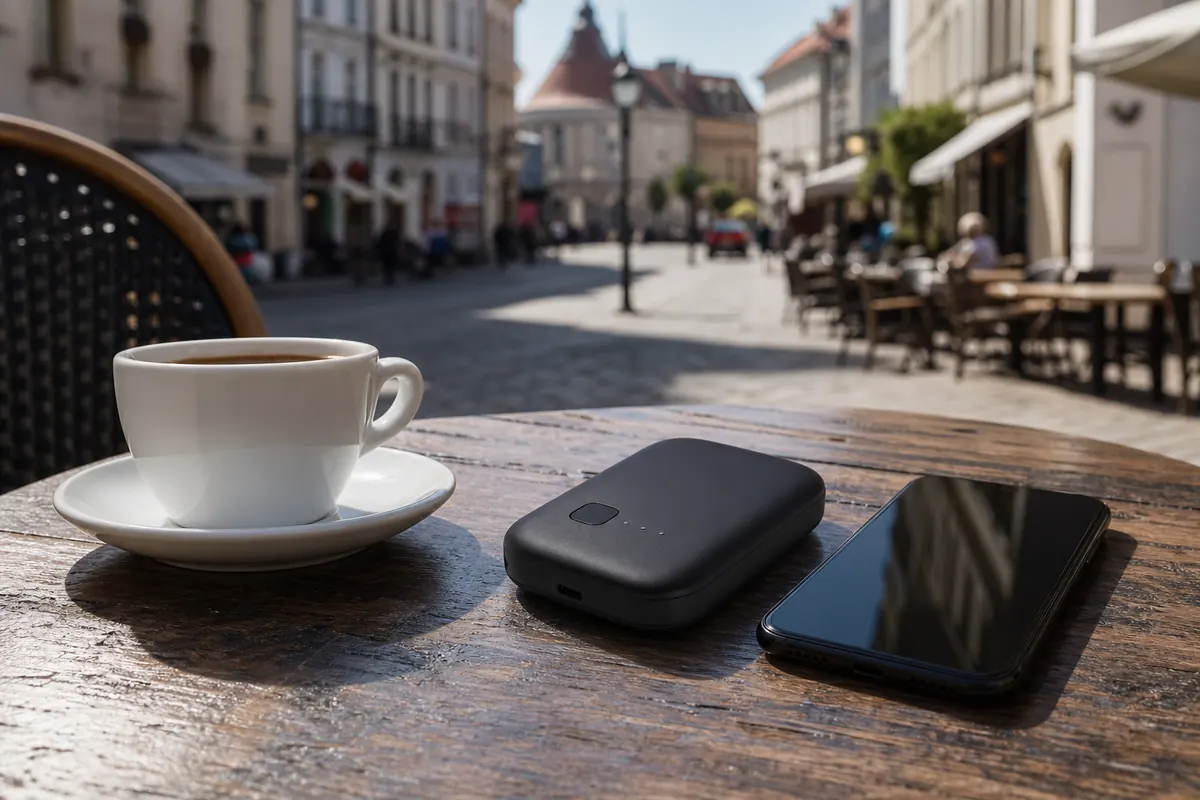
Travelers generally choose between three traditional methods to get online abroad. Each comes with significant downsides regarding cost, convenience, or SMS reception.
Home Carrier Roaming Plans
Carriers pitch this as the easiest option. You do nothing. You land, turn on your phone, and use your normal plan. The cost is the problem. US carriers charge between $10 and $15 per day. Canadian carriers charge up to $16 per day. Over a 15-day vacation, you pay over $200 just to check maps and receive texts. You keep your home number active, but the price is exorbitant.
Local Physical SIM Cards
You land at the airport, find a kiosk, and buy a local prepaid SIM card. You get a local phone number and a chunk of data for a cheap price. The catch: you have to remove your home SIM card. The moment you do this, you stop receiving bank SMS. If you try to log into your Airbnb account and it demands text verification, you are locked out. You have to swap the tiny SIM cards back and forth, risking dropping them on the floor. This is a highly flawed method for modern travel.
Pocket WiFi Devices
You rent a small battery-powered router at the airport. It broadcasts a Wi-Fi signal to your phone. Pocket WiFis cost around $10 to $15 per day. You have to carry a second device everywhere. You have to charge it every night. If you lose it, you pay a $150 replacement fee. You keep your home SIM in your phone, but you must strictly disable cellular data to ensure you only use the Wi-Fi connection. Even for short trips, the daily rental fees escalate fast. Finding the internet for traveler in united kingdom or elsewhere requires a lighter, cheaper approach.
Comparison Table: Local SIM vs Pocket WiFi vs GoMoWorld eSIM
| Connection Type | SMS Reception | Hardware Required | Estimated Price (15 Days) |
|---|---|---|---|
| AT&T / Verizon Roaming | Yes, via home number | None | ~$225 ($15/day) |
| Local Physical SIM | No (home SIM removed) | Physical SIM swap | ~$20 - $40 |
| Pocket WiFi | Yes (via Wi-Fi) | Router + Charger | ~$150 ($10/day) |
| GoMoWorld eSIM | Yes (Dual SIM setup) | Smartphone only | €10.99 (10GB) |
A data-only eSIM provides the exact technical solution travelers need. It bypasses the physical limitations of plastic SIM cards and the extreme pricing of legacy carriers.
Our Recommendation for a Traveler Abroad

The most effective setup for traveling abroad is a Dual SIM configuration using a GoMoWorld eSIM.
Modern smartphones (iPhone XR and newer, most recent Androids) contain a digital SIM chip. This allows you to run two networks at the exact same time. You keep your physical home SIM active for calls and texts. You install a GoMoWorld eSIM dedicated entirely to data.
Receiving SMS text messages while abroad is free with almost all global carriers. You only pay roaming fees if you send a text, make a call, or use data. By routing all your data traffic through GoMoWorld, you block your home carrier from triggering their $15 daily pass. Your bank texts arrive instantly, for free, on your home number.
GoMoWorld operates strictly as a data-only service. There is no phone number attached, which means no incoming spam calls and no confusion about which number you are using. You buy a specific data package for your destination.
The pricing is transparent and prepaid. For this destination, you choose between three fixed plans:
- 3GB for 7 days at €3.99
- 10GB for 15 days at €10.99
- 25GB for 30 days at €19.99
You pay exactly this amount. There are no overage fees. If you use all your data, the connection simply stops. You buy a top-up in the app if you need more. This prepay system guarantees you will never return home to a surprise bill.
Every GoMoWorld plan includes mobile hotspot capabilities. You can share your connection with your laptop, tablet, or travel partner without paying extra fees. Whether you need the internet for student abroad in germany or a quick connection for a weekend trip, the hotspot feature keeps all your devices online.
Practical Guide: Setting Up and Using the GoMoWorld eSIM
Setting up a GoMoWorld eSIM is fast. The entire process happens directly on your smartphone. There are no physical stores to visit and absolutely no QR codes to scan. Do not trust services that require you to print a QR code before your flight.
Follow these exact steps to configure your phone for free SMS reception and cheap data.
Step 1: Install and Purchase Before You Fly
Download the GoMoWorld app from the App Store or Google Play Store. Create your account. Search for your destination and select your data plan. Purchase the plan using Apple Pay, Google Pay, or a credit card.
GoMoWorld plans never expire until you activate them. You can buy your 10GB plan weeks before your trip. The countdown timer only starts when you manually trigger the connection.
Step 2: Install the eSIM via the App
Tap the install button inside the GoMoWorld app. The app communicates directly with your phone's operating system to download the digital profile. You do not need another screen to scan a QR code. The installation takes less than two minutes.
Step 3: Configure Dual SIM Settings
This is the most critical step to ensure you receive bank SMS without paying roaming fees.
On iPhone:
- Go to Settings > Cellular.
- Under Cellular Plans, you will see your Home SIM and your new GoMoWorld eSIM.
- Tap your Home SIM. Ensure "Turn On This Line" is active. Turn "Data Roaming" OFF.
- Tap your GoMoWorld eSIM. Turn "Data Roaming" ON.
- Go back to Cellular > Cellular Data. Select GoMoWorld. Turn OFF "Allow Cellular Data Switching".
- Go to Default Voice Line. Select your Home SIM.
On Android:
- Go to Settings > Connections > SIM Manager.
- Ensure both your Home SIM and GoMoWorld eSIM are turned ON.
- Under Preferred SIMs, set "Mobile Data" to GoMoWorld.
- Set "Calls" and "Messages" to your Home SIM.
- Go back to Connections > Mobile Networks. Turn OFF Data Roaming for your Home SIM. Turn ON Data Roaming for GoMoWorld.
Step 4: Activate on Arrival
When your plane lands, open the GoMoWorld app. Navigate to your purchased plan and tap "Start". This manual activation is a major advantage. The plan does not auto-activate. You control exactly when your 7, 15, or 30-day period begins.
Now you have the best internet at coachella for international visitors. Your phone will automatically connect to the local 4G or 5G network. Your data flows through GoMoWorld. Your incoming bank SMS flow through your home SIM for free.
FAQ
Do I pay if I receive an SMS abroad?
No, receiving an SMS while you are abroad is free with almost all mobile carriers globally. You are only charged if you reply to the text, make an outgoing phone call, or use your home carrier's cellular data. Keep your home SIM active and turn off its data roaming.
How do I receive verification codes via SMS from abroad?
To receive One-Time Passwords (OTPs) and bank verification codes, your home SIM card must remain inside your phone and turned on. Use a Dual SIM setup: keep your home SIM active for calls and texts, and use a GoMoWorld eSIM for your data connection.
How to receive SMS abroad for free?
Ensure your home carrier plan allows international roaming for voice and text (do not buy a daily data pass). In your phone settings, disable cellular data and data roaming specifically for your home SIM. Leave the line active. Incoming texts will arrive at no cost.
Why am I not receiving my SMS abroad?
If your bank texts are not arriving, check your phone settings. Ensure your home SIM is turned on. Sometimes phones fail to automatically connect to a foreign partner network for voice/text. Go to Settings > Cellular > Network Selection, turn off "Automatic", and manually select a local network for your home SIM to force a connection.
To secure your connection for your next trip, a GoMoWorld eSIM solves the data problem upfront. You keep your home number for texts, with a dedicated data plan in your destination. Get your eSIM →


Similar articles
Two-Factor Authentication While Traveling Abroad
Internet for Traveler in United Kingdom: Best Options 2026

Best Internet at Coachella for International Visitors

Internet for Student Abroad in Germany: Best Options 2026

Hear from our Happy Travelers
4.7
App Store

4.7
Google Play Store

March 5, 2026
Trustworthy and cheap
A trustworthy and economic way of being in contact with home when travelling


February 27, 2026
Excellent esim
Easy to use. Used in many countries and will continue to use gomoworld


February 26, 2026
Best eSIM prices
Excellent price and good network coverage. Used it for my trips to Turkey and Russia, I faced no issues at all. Recommend!


February 10, 2026
Great eSIM service
I use their esim and I have used them all over India, Colombia, Nicaragua and the US and have not had problems with connection, except high in the mountains where no one has it.

February 7, 2026
Works flawlessly from 1st second
Installing and activating is straightforward, testing the system with a free trial in Switzerland worked fine Connection throughout the Gambia was perfect Renewal after expiration was easy, cheap and quick.


January 25, 2026
Really good data plans withs reasonable prices
GoMoWorld offered the best value out of all the options I considered. The app experience was also superior to other services I’ve tried. There was no ID verification requirement. Payment and setup was super easy. It guides you step by step how to install the eSIM and tells you the recommended settings. I would recommend to anyone looking for lots of data with really competitive prices.

What is an eSIM?
We’ll Explain Everything.
A simple, digital solution for staying connected wherever you Go.

Say Goodbye to Physical SIM Cards
No need to handle a physical SIM card (or risk losing yours)—everything is digital with an eSIM.

Quick and Easy Activation.
Download your GoMoWorld eSIM from our app and get connected in minutes. All our plans start at just €3.99, with no subscriptions or hidden fees.

Perfect for Travelers
Keep your regular SIM active for calls and texts while using GoMoWorld for data. You can have both your primary SIM and eSIM active simultaneously, or two eSIMs.


from
€3.99

Still thinking about it?
Download the app and enjoy a risk-free Trial. Experience GoMoWorld travel eSIM now!